The quick verdict
Start with your device-switching needs and software access. Those are clearer reasons to consider MX Keys S than a general promise of better productivity. Personal typing preference still needs a hands-on check.
Search Amazon ↗Affiliate linkLogitech MX Keys S vs Logitech MX Mechanical vs Logitech Signature Slim K950
Logitech MX Keys S vs MX Mechanical vs Signature Slim K950: start with the typing style and lighting you need rather than assuming one keyboard suits everyone.
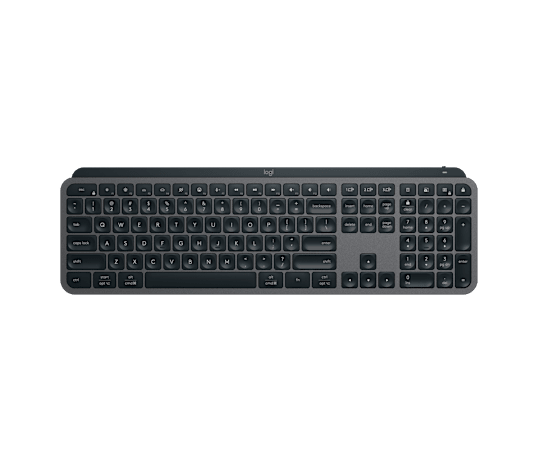
Logitech MX Keys S
Choose it ifPrefer a low-profile keyboard with backlighting for a multi-device desk.
Trade-offIt does not offer the mechanical switch feel of MX Mechanical.
Search Amazon ↗Affiliate linkManufacturer details & image source ↗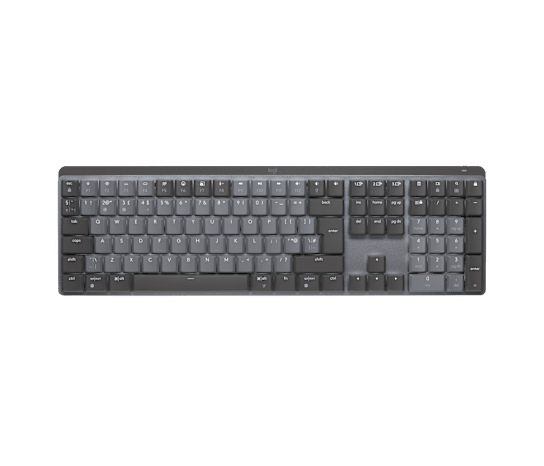
Logitech MX Mechanical
Choose it ifWant mechanical feedback in a full-size productivity keyboard.
Trade-offSwitch feel and sound vary; verify the switch type and regional key layout before ordering.
Search Amazon ↗Affiliate linkManufacturer details & image source ↗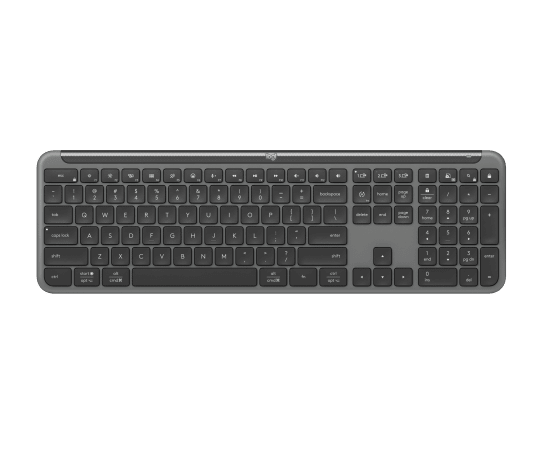
Logitech Signature Slim K950
Choose it ifWant familiar laptop-style typing and multi-device switching without needing illuminated keys.
Trade-offUnlit keys are less convenient in a dark room; check the battery and receiver details for the exact listing.
Search Amazon ↗Affiliate linkManufacturer details & image source ↗| Compare | Logitech MX Keys S | Logitech MX Mechanical | Logitech Signature Slim K950 |
|---|---|---|---|
| Typing style | Low-profile, laptop-style keys | Low-profile mechanical switches | Laptop-style keys |
| Key illumination | Smart backlighting | Smart backlighting | No backlit keys |
| Device switching | Up to three paired devices | Up to three paired devices | Up to three paired devices |
Software customisation depends on operating-system support. Regional layouts, switch options and included receivers can differ. We have not measured typing noise or tested these keyboards side by side. Comparison sources checked 2026-10-29. Recommendations are editorial assessments of documented features.
Logitech MX Keys S: key specifications
Manufacturer-published details. Check the exact model and hardware version.
- Layout
- Full-size wireless keyboard
- Connection options
- Bluetooth or Logi Bolt receiver
- Device switching
- Up to three paired computers
- Customization software
- Logi Options+, supported features vary by OS
Features, in everyday terms
Device switching is its practical starting point
Logitech documents pairing with up to three computers and switching channels with the Easy-Switch keys. Bluetooth and the included Logi Bolt receiver are connection options. Our assessment is that this matters most when you actually move between machines. If your working day involves one laptop, make sure you are not paying for a workflow advantage you will rarely use. [2]
Backlighting comes with more adjustment
The manufacturer describes lighting that responds to hand proximity and the surrounding light, with brightness and duration controls in Logi Options+. That is a useful specification for a variable-light workspace, but it does not establish comfort for every user. Our advice is to think about glare sensitivity and whether you prefer manual lighting control. We have not measured brightness, battery impact or how consistently the sensors behave. [1]
Software permissions can decide the purchase
Logitech says Options+ enables additional functionality and is available for Windows and Mac. Its support guide distinguishes basic multi-OS compatibility from software availability. Our inference: anyone using a company-managed computer should check installation permissions before buying for shortcuts or automation features. Test the workflow requirement first. A supported basic connection does not mean every customization will be available on every operating system. [2]
The advantages and trade-offs
+ Potential advantages
- Documented switching among three paired computers.
- Choice of Bluetooth and Logi Bolt connection methods.
- Backlight duration and brightness can be configured in Options+.
− Limitations to weigh
- Some useful features depend on supported software and permissions.
- Full-size layout takes more desk space than a compact keyboard.
- We have not tested key feel, noise or long-term reliability.
These are editorial assessments of the documented features, not hands-on test findings.
Is it right for you?
People with a stable desk who regularly switch between computers and can use the required customization software.
You want a small travel keyboard, or your employer blocks software needed for your planned workflow.
Check the exact listing.
Confirm the model, variant, seller, current price and purchase terms on Amazon.in.
How this review was researched
This is a desk-researched review based on the linked manufacturer documentation. TAZVI Deals has not purchased, handled or personally tested this product. Specifications are manufacturer claims; suitability, advantages and trade-offs below are our editorial analysis, not measured test results.
- Logitech India: MX Keys S overview ↗Manufacturer · checked 2026-10-29
- Logitech Support: getting started with MX Keys S ↗Support documentation · checked 2026-10-29
Found a specification that changed? Send a correction.